
Reports and Analytics Guide
Pro workspaces unlock team reports so you can filter timesheets, inspect activity levels, and export clean files for finance or client billing.
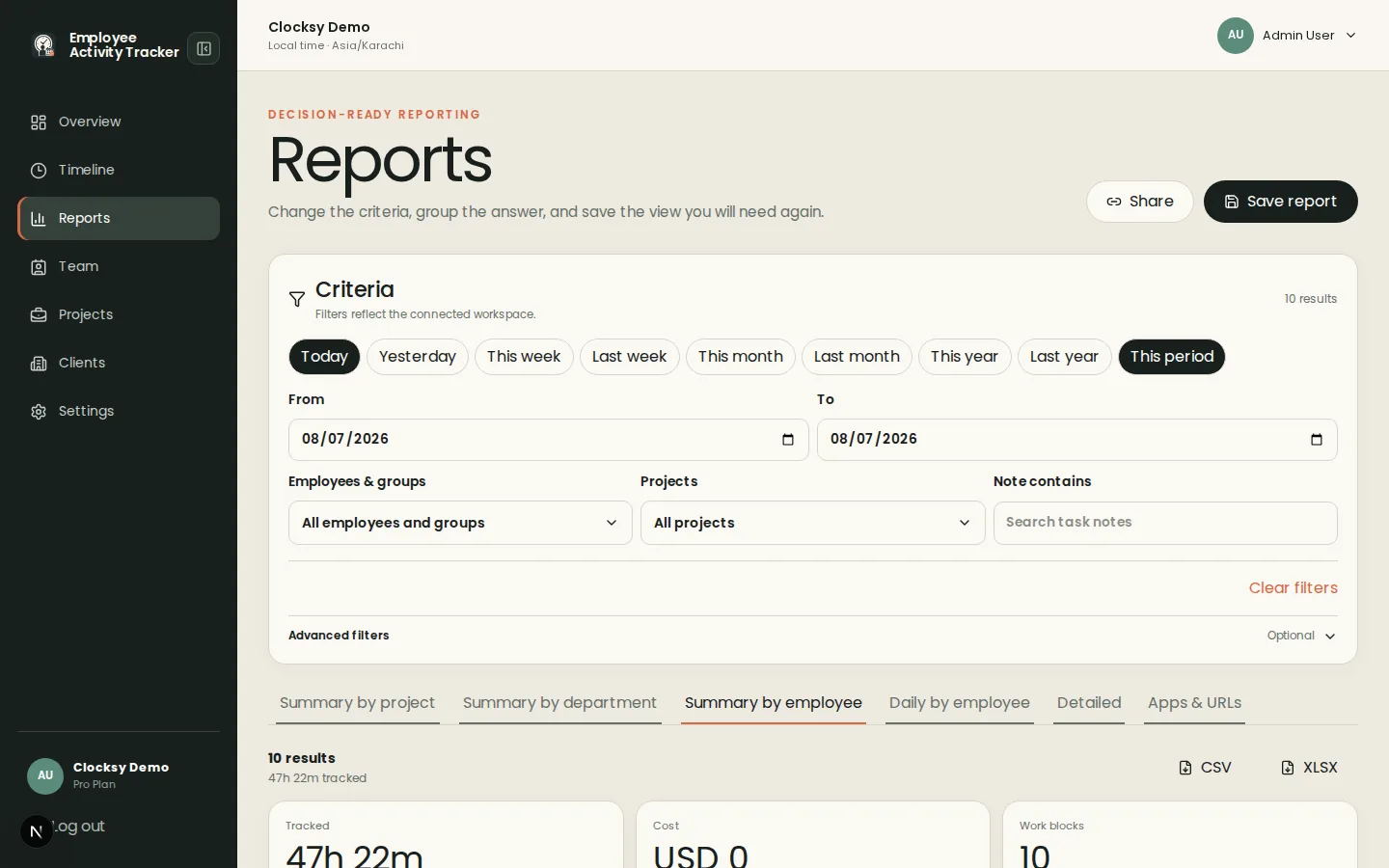
Who can use reports
Reports, saved views, share links, and exports are Pro features. Free workspaces still show day timelines and activity; upgrade when you need filtered team analytics across the workforce.
Filter by date, user, and project
Open Reports and set a date range, then narrow by member, project, or client-oriented templates. Switch templates for summaries, apps and URLs, or other rollups so idle time and deep work patterns are easier to discuss without keylogging.
- Save views you reuse for weekly workforce productivity reviews.
- Share a report link when stakeholders need read-only access without a full seat.
Export to CSV or Excel
Export the current view as CSV or Excel (XLSX) for spreadsheets and accounting tools. PDF export is not part of the product today—use CSV/XLSX or shared report links instead.
Was this helpful?
Ready to try it?
Start a free workspace or compare plans before you invite the team.